Backwards from arrival
Choose where you're going and when you need to be there. The departure time is calculated from current driving conditions, not from an average.
 Time To Leave!
For anyone who hates being late
Every other app answers "how long will it take?" Time To Leave! answers the question you actually have: what time do I need to walk out the door? Pick your destination and your arrival time, and it works backwards through live traffic — then keeps watching the road and warns you if the drive gets worse.
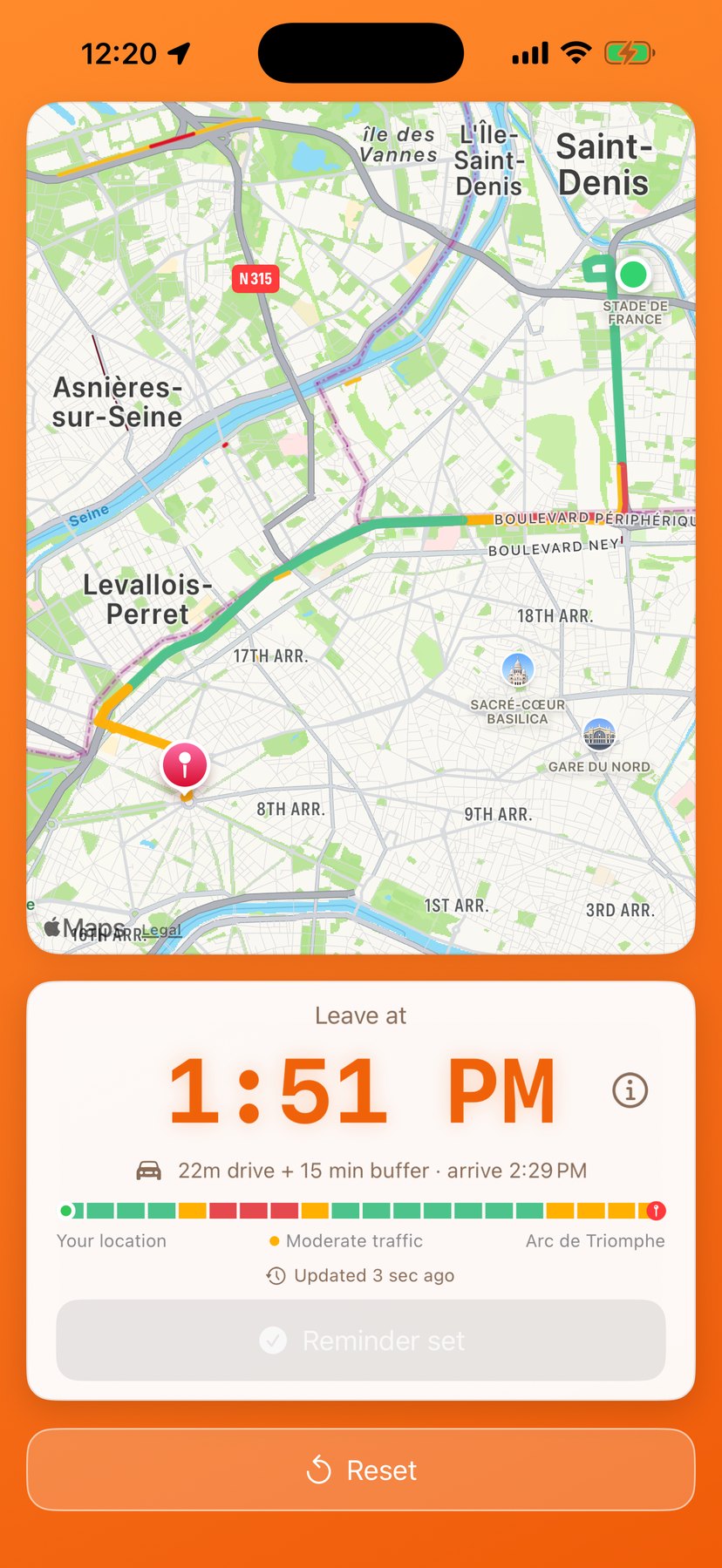
How it works
Choose where you're going and when you need to be there. The departure time is calculated from current driving conditions, not from an average.
The countdown sits on your Lock Screen and in the Dynamic Island, and turns into "Time To Leave!" the moment you need to move.
Your route is split into twenty stretches, coloured by conditions on the bar and drawn straight onto the map. One glance shows whether the delay is at your end of the trip or the far end.
The route is re-checked in the background. If the drive gets significantly longer, you're told in time to leave earlier — not after you're already late.
Save the places you go to often, pick them in one tap, or drop a pin anywhere on the map.
Add minutes for getting ready, parking, or plain peace of mind. The departure time moves with it.
Everything stays on your iPhone
Open it and use it. There is no account, no profile and no email to hand over.
Routes and traffic come from Apple Maps. There are no third-party analytics or advertising services in the app.
The whole interface follows your iPhone's language, and you can switch to any of the 36 from inside the app.
What it costs
Seven days with everything switched on, starting the first time you open the app. No card, no account, nothing to cancel.
Pay once and keep the app for good. No renewal, no expiry — and it comes back on any iPhone signed in to the same Apple Account.
The cheaper way in, renewed once a year and cancellable at any time from your Apple Account settings.